
Beard growth tracker for iPhone
Is your beard filling in?
See it week by week.
Growing it out, filling the patches with minoxidil, or the months after a transplant: a photo every week, the same way each time, and week 1 next to today.
 Track one thing free
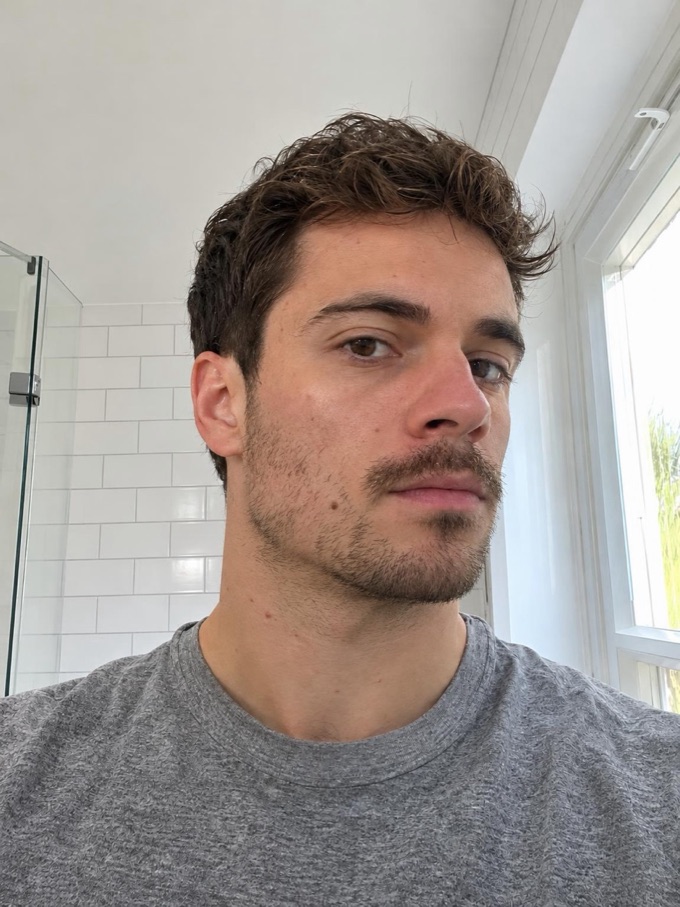 Week 1
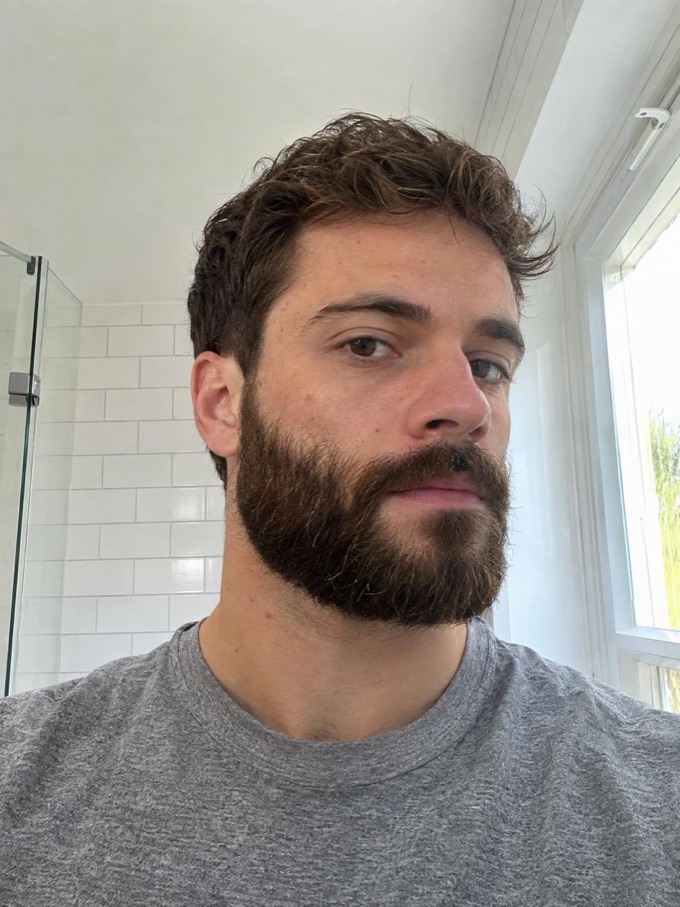 Week 9
- Week 9
5 photos in 9 weeks since the last shave. Tap a week to set it beside Week 9. An example, not a customer.
Every week,
the same beard photo.
The beard tracker takes the views a beard needs and keeps count of the weeks, so you never wonder how far in a photo was.
Front and both sides.
Turn your head once. The camera keeps the front, the left and the right, so the cheeks and the jaw line are in every set.
It counts the weeks.
Tell it when you last shaved and every photo is filed under its week. On minoxidil or after a transplant it counts the months.
Light like last time.
Before it shoots, it says when the light is darker, brighter or from the other side than last time, so patches don't come and go with the lamp.
Lined up by your face.
Compare any two dates: the earlier photo is lined up by your eyes, nose and mouth, so you see the beard, not where the phone was.
Patchy beard?
Give it weeks, and photos.
A patchy beard rarely looks different from one morning to the next. Facial hair grows slowly and unevenly, and the mirror only ever shows today. That is why so many people shave it off in week three, just before the cheeks start to fill in.
Beard progress photos settle it. Take the front and both sides once a week, in the same spot and the same light, and set week 1 beside today. Thin patches on the cheeks, the gap under the moustache, the jaw line joining up: the beard growth you can't see day to day shows up side by side.
The same works for minoxidil on the beard, which you judge month by month, and for the months after a beard transplant. Glow Up files every beard photo under its week or month, so your beard growth timeline builds itself.
Read more: Beard growth stages: what happens week by week · How to take progress photos you can actually compare
Your beard on any two dates,
lined up.
A beard before and after in one place: drag across, or set them side by side. Pinch one and the other zooms to the same patch.
Drag to compare. Example photos.
Beard growth questions,
answered.
How often should I take beard progress photos?
Once a week while you grow it out, and once a month on minoxidil or after a transplant. Glow Up reminds you at the time you pick, and the reminder never says what you track.
How do I see if minoxidil is working on my beard?
Take the same three views every month and compare month 1 with today. The app counts the months by itself, so every photo says how far into it you were.
How long does a patchy beard take to fill in?
It differs from person to person, and often takes months rather than weeks. Weekly photos show how your own beard is doing instead of a guess from the mirror.
How do I take good beard progress photos?
Same spot, same time of day, light in front of you, and the front plus both sides. Glow Up shoots all three as you turn your head and says when the light is unlike last time.
Can I make a beard before and after picture?
Yes. Pick any two dates, compare them with the slider or side by side, and share them as one picture with the date under each photo.
Does it work after a beard transplant?
Yes. Choose A transplant and the photos are filed by months since the surgery.
Are my photos private?
They stay on your iPhone. No account, no ads, and never a photo on our servers. You can lock the tracker with Face ID.
Is it free?
Tracking one thing is free and complete: every photo, comparisons, reminders, the lock and export. Pro tracks several things at once and makes timelapses.
Take the first one
today.
In a few weeks it will be the photo you compare everything with.
Track one thing free