
Skin progress tracker for iPhone
Is your skincare working?
See it week by week.
A new cream, a retinoid, an acne routine or a peel: a photo every week, the same way each time, and week 0 next to today.
 Track one thing free
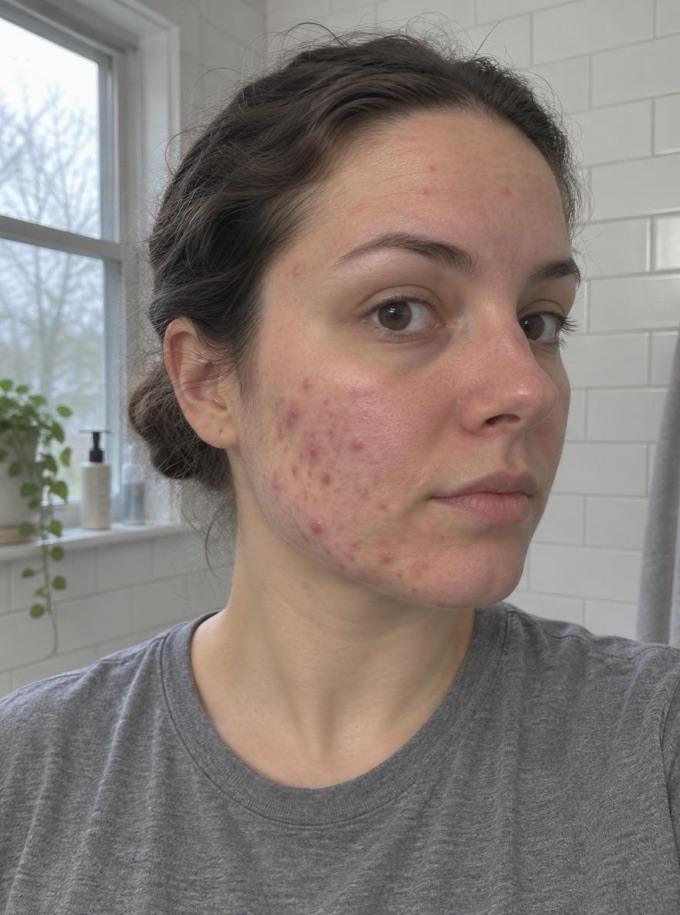 Week 0
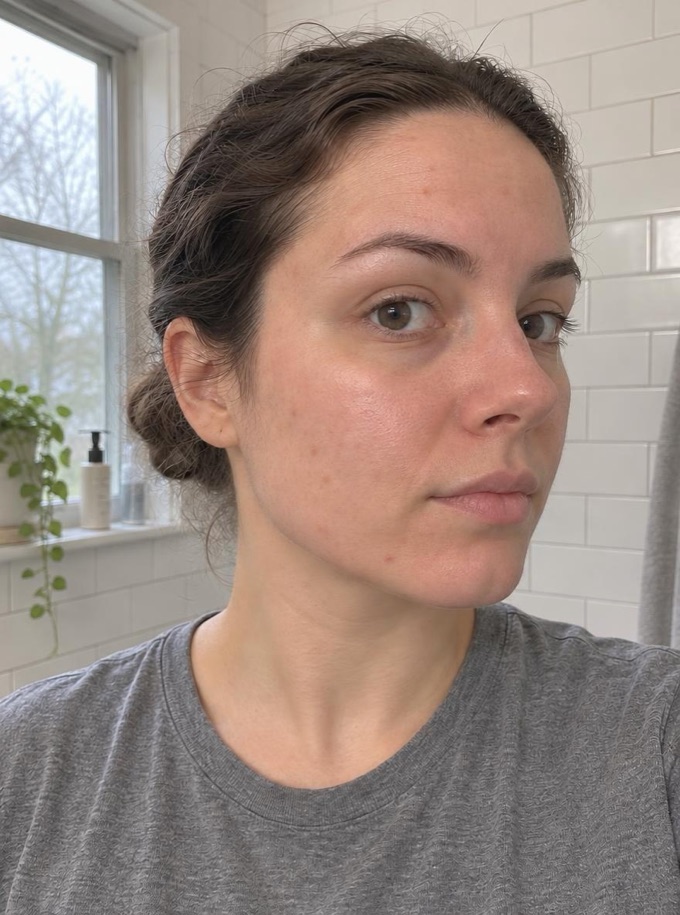 Week 8
- Week 8
5 photos in 8 weeks of a new routine. Tap a week to set it beside Week 8. An example, not a customer.
Every week,
the same skin photo.
The skin tracker takes the front and both sides of your face and counts the weeks of a treatment, so every photo says how far in you were.
Front and both sides.
Turn your head when it asks. The camera keeps the front, the left and the right, so both cheeks, the forehead and the jaw are in every set.
It counts the weeks.
Tell it how far into a treatment you are and every photo is filed under its week. Acne is weekly, scars and marks monthly.
Light like last time.
Before it shoots, it says when the light is darker, brighter or from the other side than last time, so redness doesn't come and go with the lamp.
Lined up by your face.
Compare any two dates: the earlier photo is lined up by your eyes, nose and mouth, so you see your skin, not where the phone was.
Is it the cream,
or the light?
Skin changes slowly, and the mirror is the worst judge of it. Bathroom light makes redness come and go, a breakout last week feels like forever, and after a month of a new serum you honestly can't say if your skin looks better or you just got used to it.
Skincare progress photos settle it. Take the front and both sides once a week, in the same spot and the same light, and set week 0 beside today. Fewer spots on the cheeks, red marks fading, the texture evening out: the change you can't see day to day shows up side by side.
It works for acne, a retinoid or tretinoin, a new moisturiser, peels and acne scars or pigmentation, which you check month by month. Most treatments take 8 to 12 weeks to show, so your skin progress timeline is how you know whether to keep going.
Read more: How long does skincare take to work? · How to take progress photos you can actually compare
Your skin on any two dates,
lined up.
A skin before and after in one place: drag across, or set them side by side. Pinch one and the other zooms to the same spot on your cheek.
Drag to compare. Example photos.
Skin progress questions,
answered.
How do I know if my skincare is working?
Take the same photo every week and compare the first one with today. Glow Up lines the two up by your face, so you see your skin and not a different angle or light.
How long does it take to see results from a new skincare product?
Most treatments take 8 to 12 weeks to show, and it differs from person to person. Weekly photos show the small changes on the way, so you don't give up in week three.
How often should I take acne progress photos?
Once a week for acne and a new routine, and once a month for scars and marks. Glow Up reminds you at the time you pick, and the reminder never says what you track.
How do I take good skin progress photos?
Same spot, same time of day, light in front of you, no makeup, and the front plus both sides. Glow Up shoots all three as you turn your head and says when the light is unlike last time.
Can I make a skin before and after picture?
Yes. Pick any two dates, compare them with the slider or side by side, and share them as one picture with the date under each photo.
Are my photos private?
They stay on your iPhone. No account, no ads, and never a photo on our servers. You can lock the tracker with Face ID.
Is it free?
Tracking one thing is free and complete: every photo, comparisons, reminders, the lock and export. Pro tracks several things at once and makes timelapses.
Take the first one
today.
In a few weeks it will be the photo you compare everything with.
Track one thing free